
Every bus on one page, four kinds of income together, what is still tied up at the counters, and what each owner is owed — one module.
An optional module — turn it on in the app under Settings → Modules.
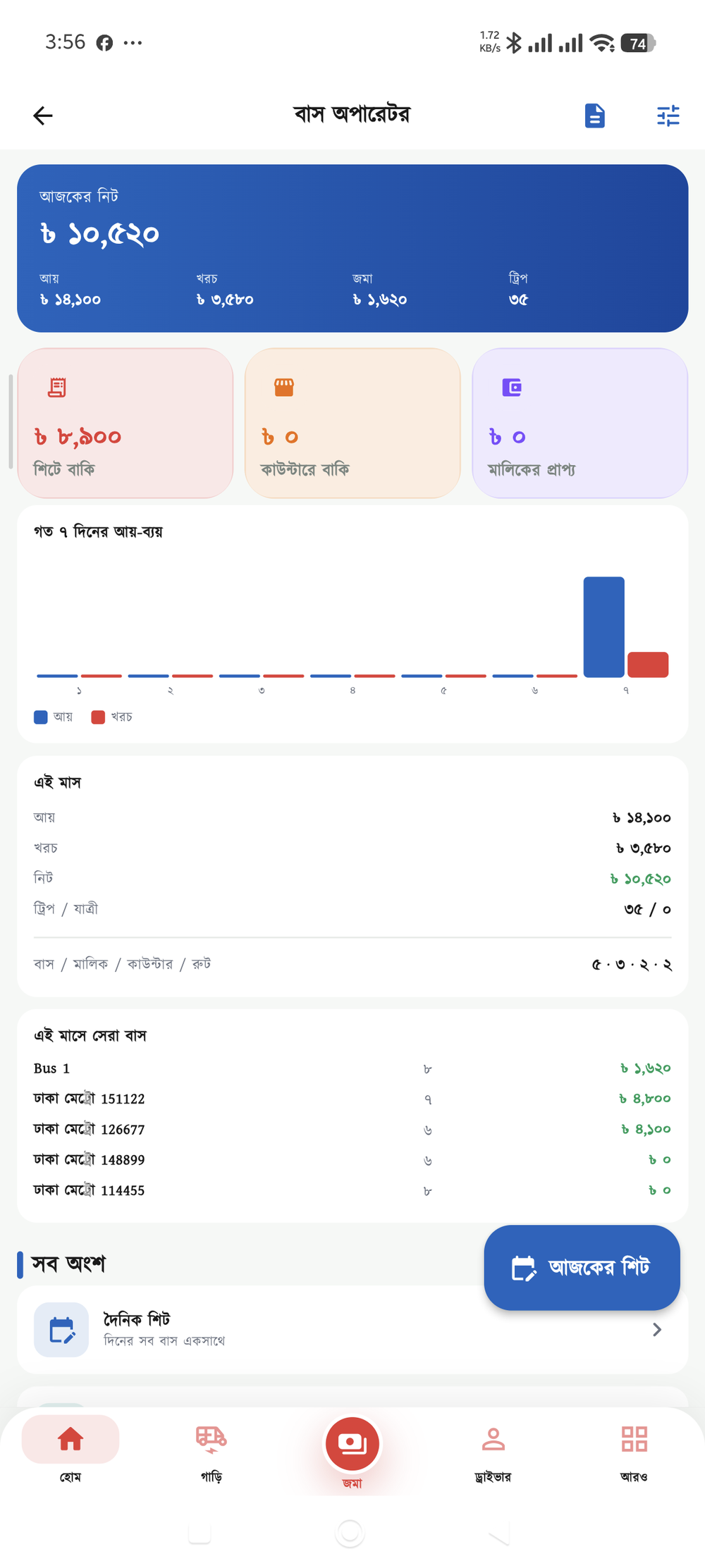
At the end of the day, what each bus brought in and who owes what — without digging through a ledger
How much money is tied up at a counter, and who has not paid for how long — at a glance
Arguments over the owners’ shares — the slip shows exactly how the figure was arrived at
GP, association dues, police — the small costs are all accounted for
Which members have paid their monthly dues and which have not — no searching the ledger
Fund income and spending recorded by category, ready to show the members
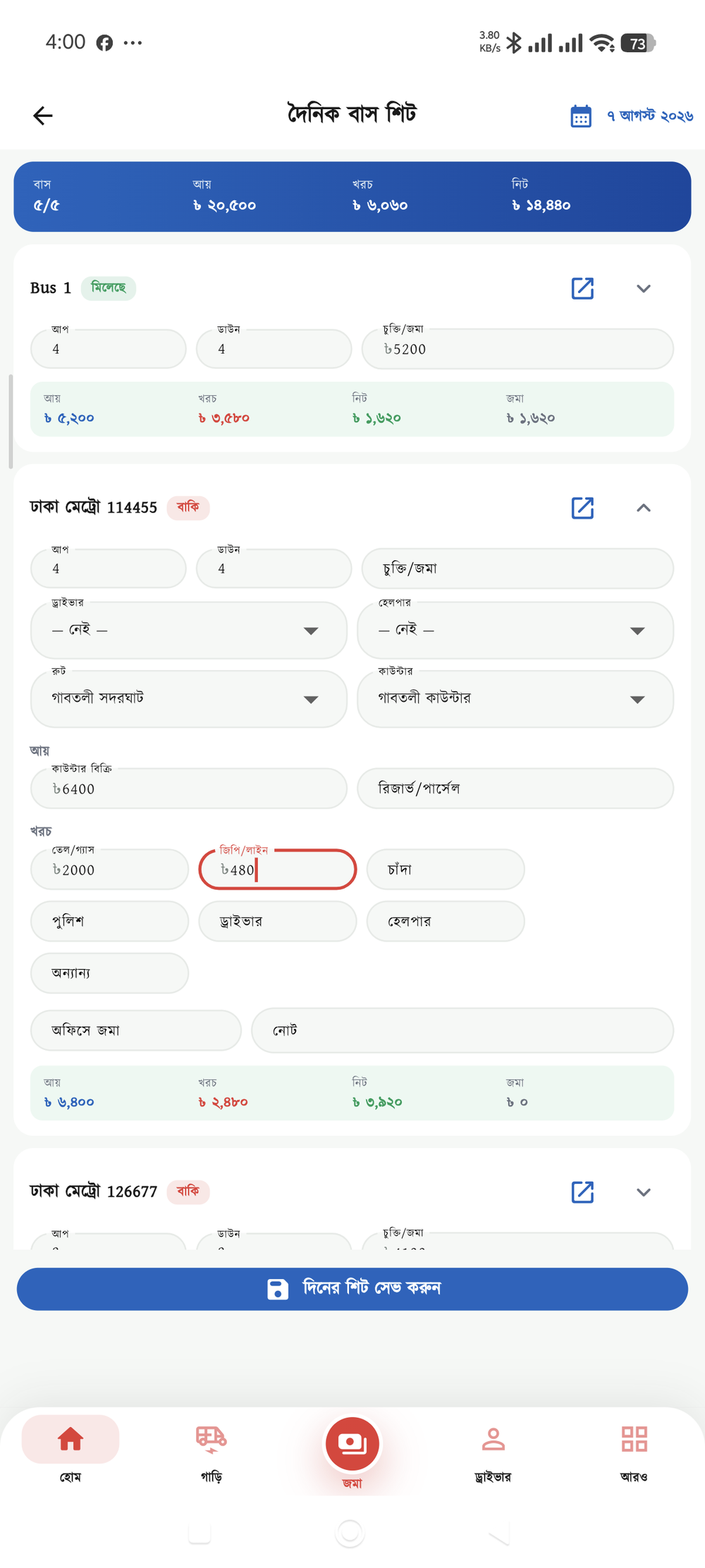
The backbone of the module — one bus, one day, one row. Fill in the up and down trips, driver and helper, income and road costs, and save it all at once. Leave a row empty for a bus that did not run and it is quietly left out.
In Bangladesh one company often runs several arrangements side by side. So you are not forced to pick a single "mode" — turn on as many as you need, together.
The driver hands a fixed sum to the office each day and keeps the rest. The most common arrangement in small fleets.
A checker counts passengers at a checkpoint and issues a slip. The slips add up to the day’s income.
Tickets are sold at a booth and the money reaches the office later — the gap is what the counter owes.
Reserve hire, parcels or roof loads — a separate line for the extra income.
A bus’s costs happen on the road, so rather than sending you to a separate "expenses" page they have their own fields on the day’s sheet. The day’s net (income − costs) settles immediately, and the owner distribution is worked out from it.
Switch off the cost heads you do not use and the sheet gets that much lighter to fill in.
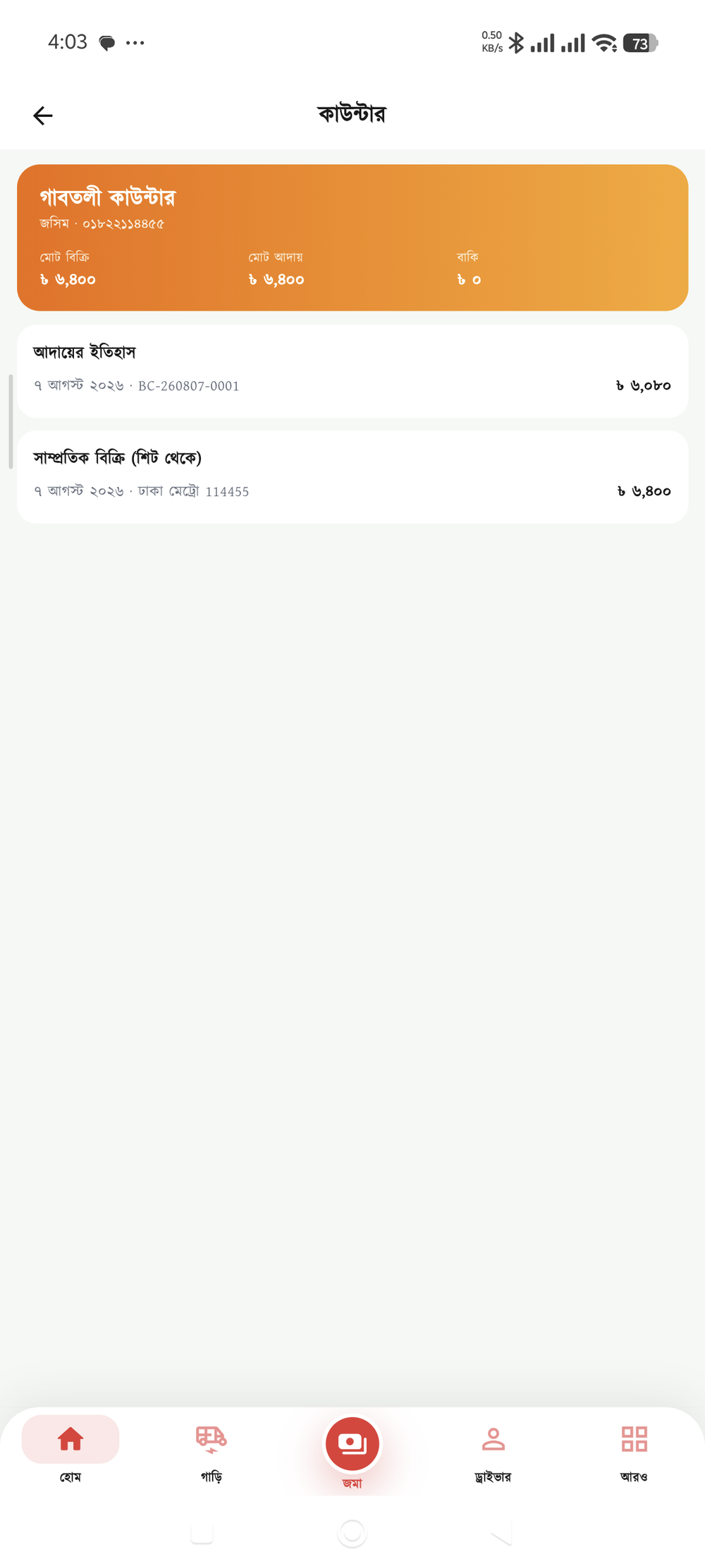
Tickets are sold at the counter today and the money arrives two days later. That gap is where most of the confusion comes from. Each counter’s sales and collections are tracked separately, and the difference is its running balance.
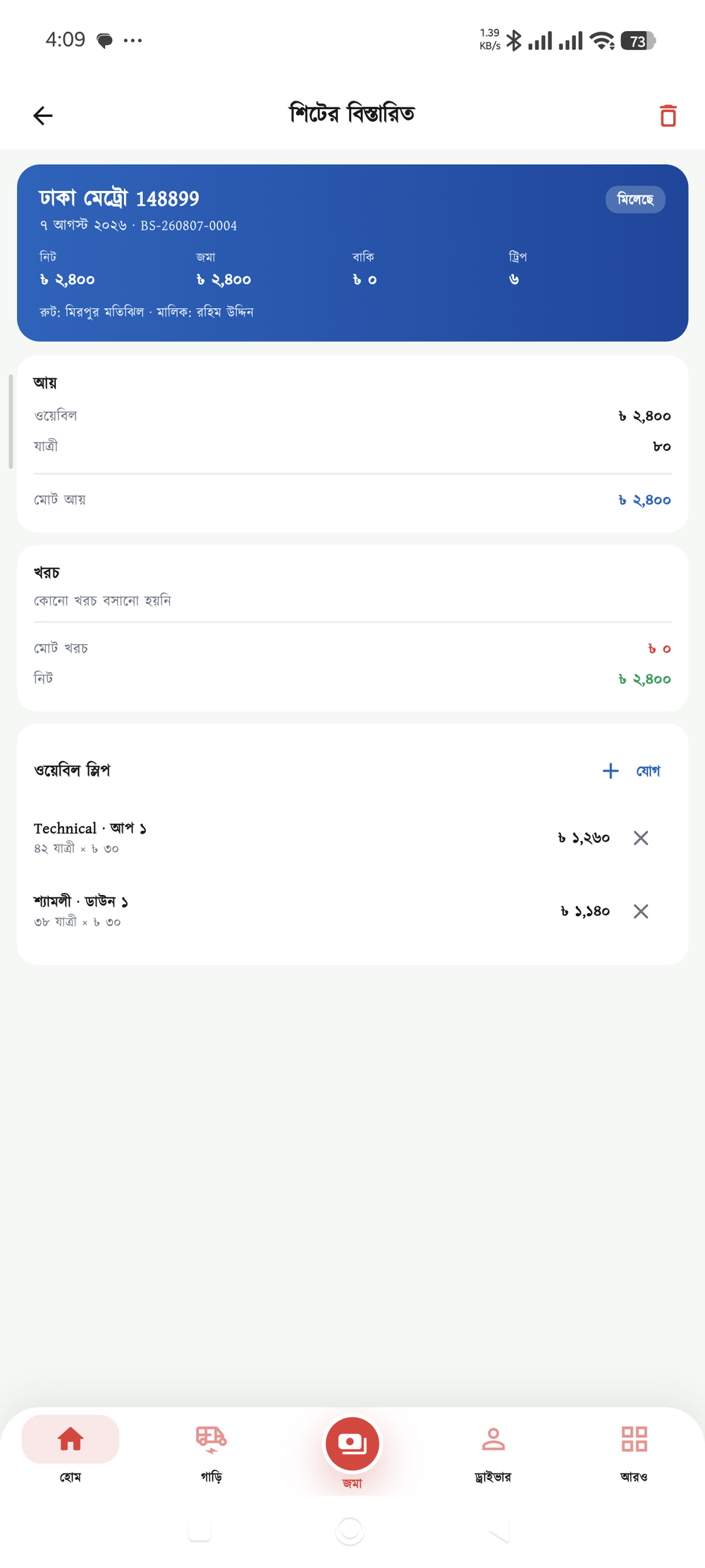
When buses with several owners run under one banner, the day’s takings have to be split. Look at the draft before finalising — it shows who gets what, and how the figure was arrived at. You can switch methods and compare; nothing is saved until you finalise.
You can take the company’s commission off the top before splitting, and whether costs are deducted first is up to you.
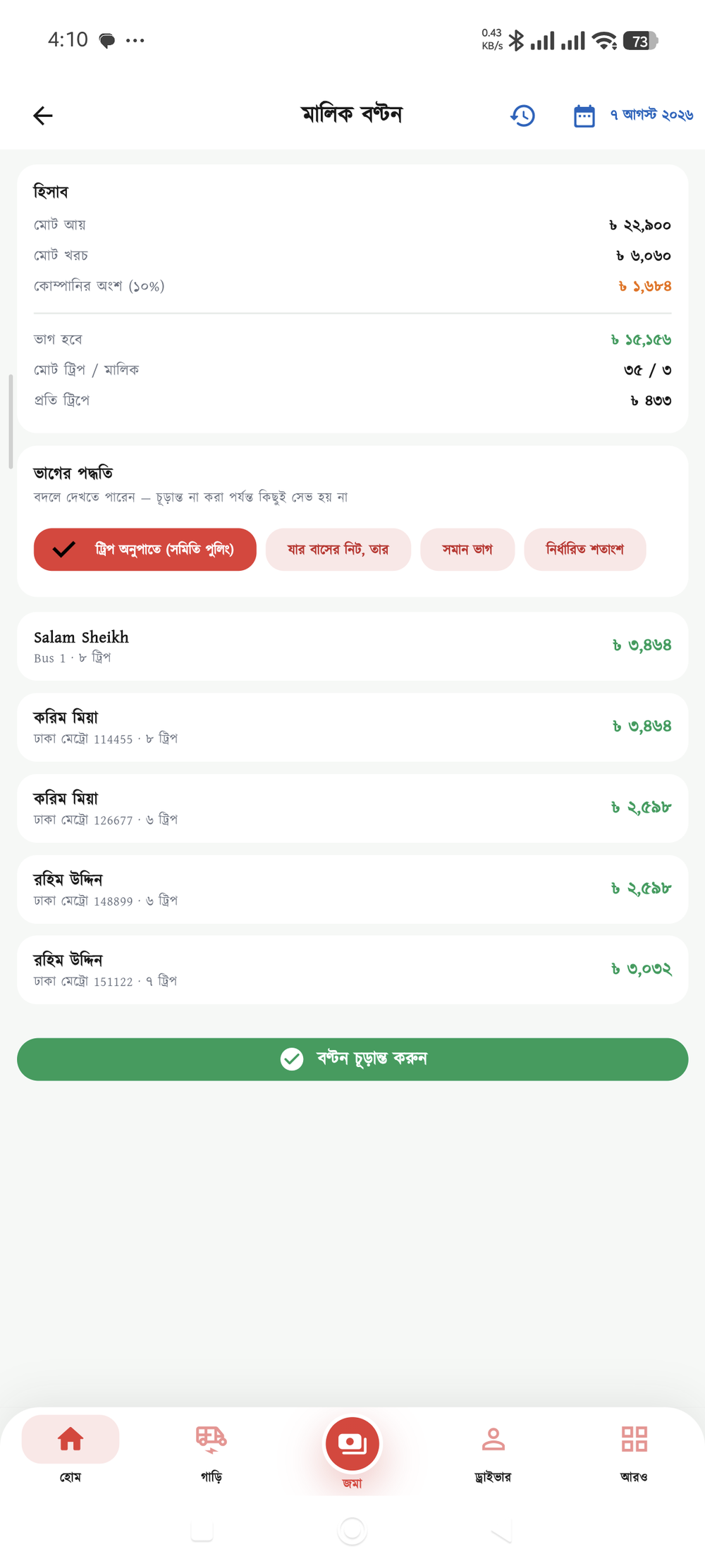
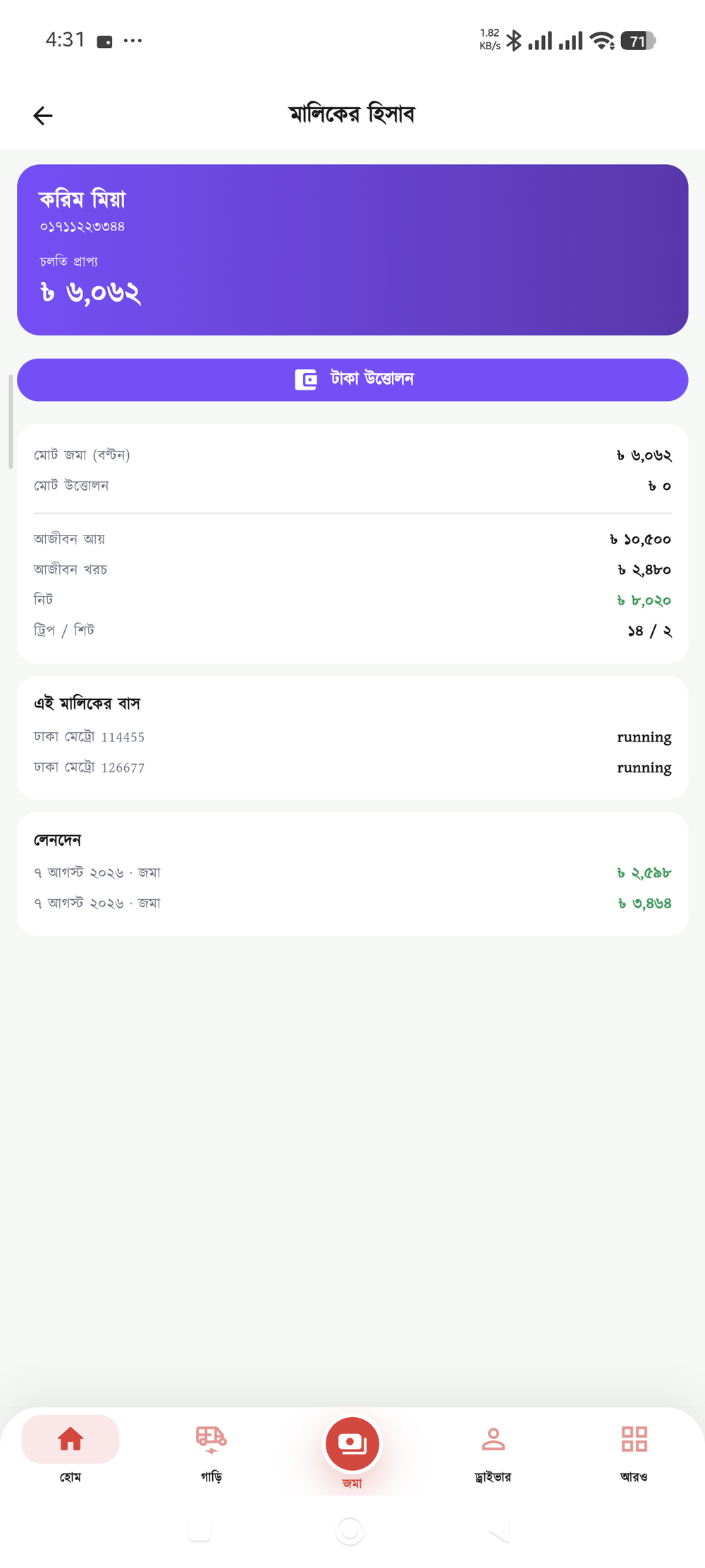
Every owner has their own running account. Distribution credits it, they withdraw when they come in — and what is owed is visible at any moment. There is a switch to stop anyone withdrawing more than they are owed.
Pick a date and the report opens in the app. Make a one-page file to share or print — the font is embedded, so it looks right on any phone.
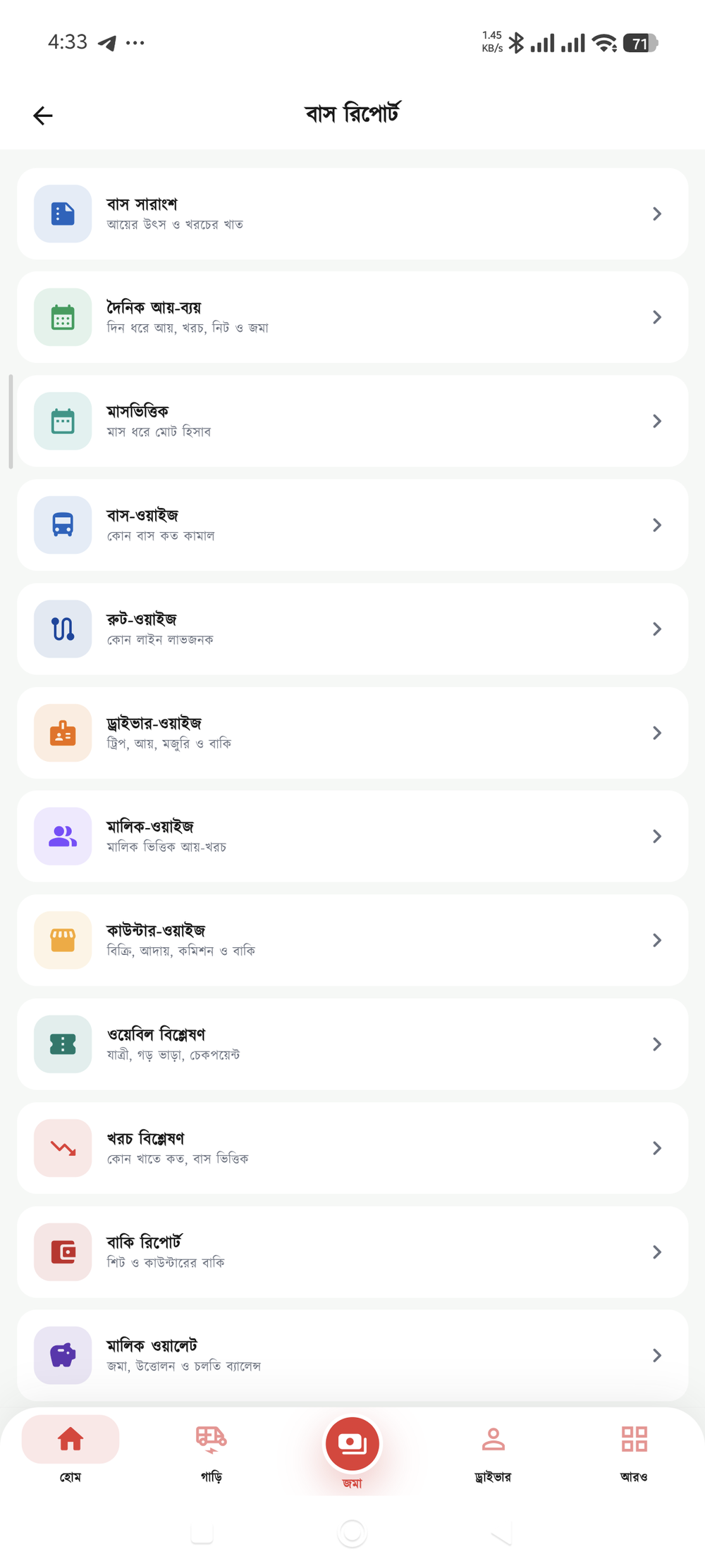
Real screenshots taken from the app — no mock-ups.
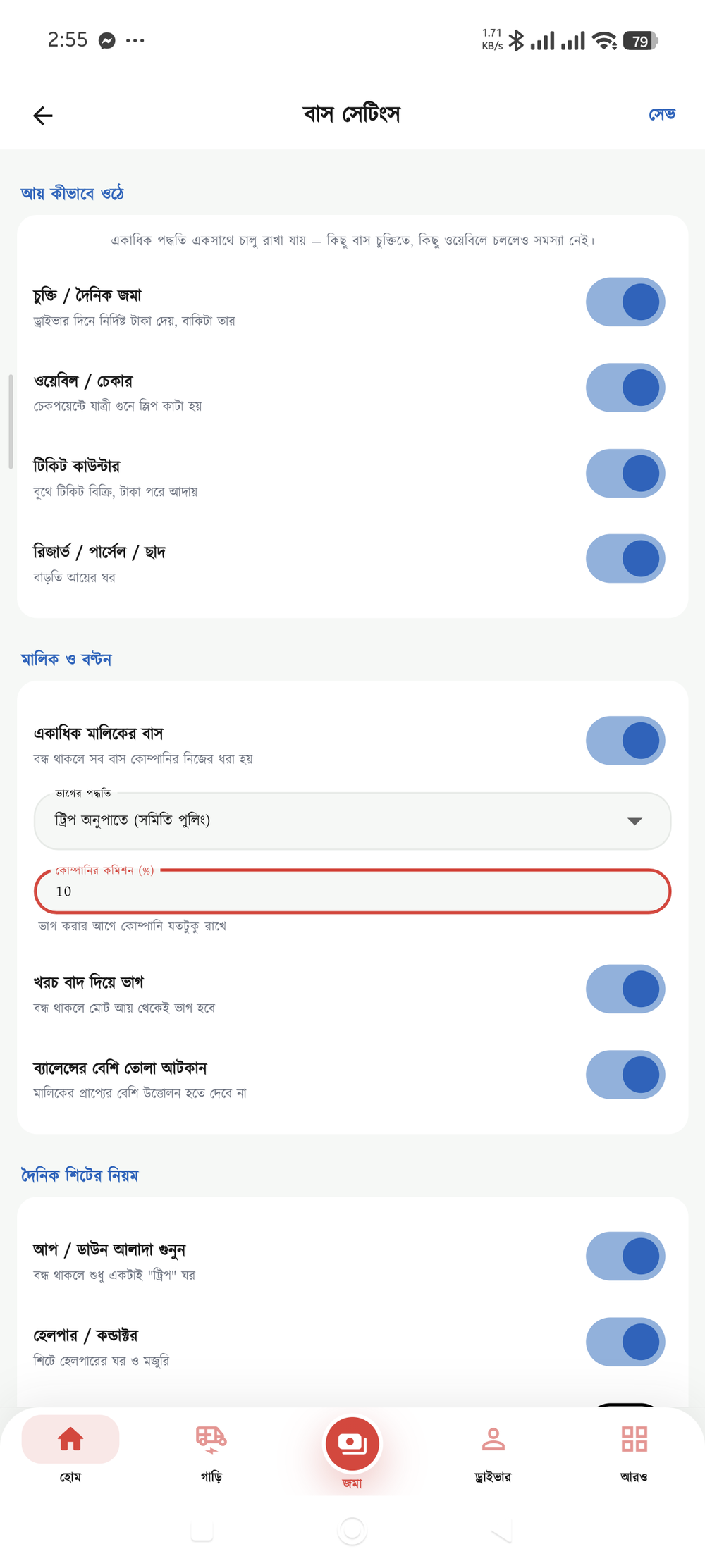
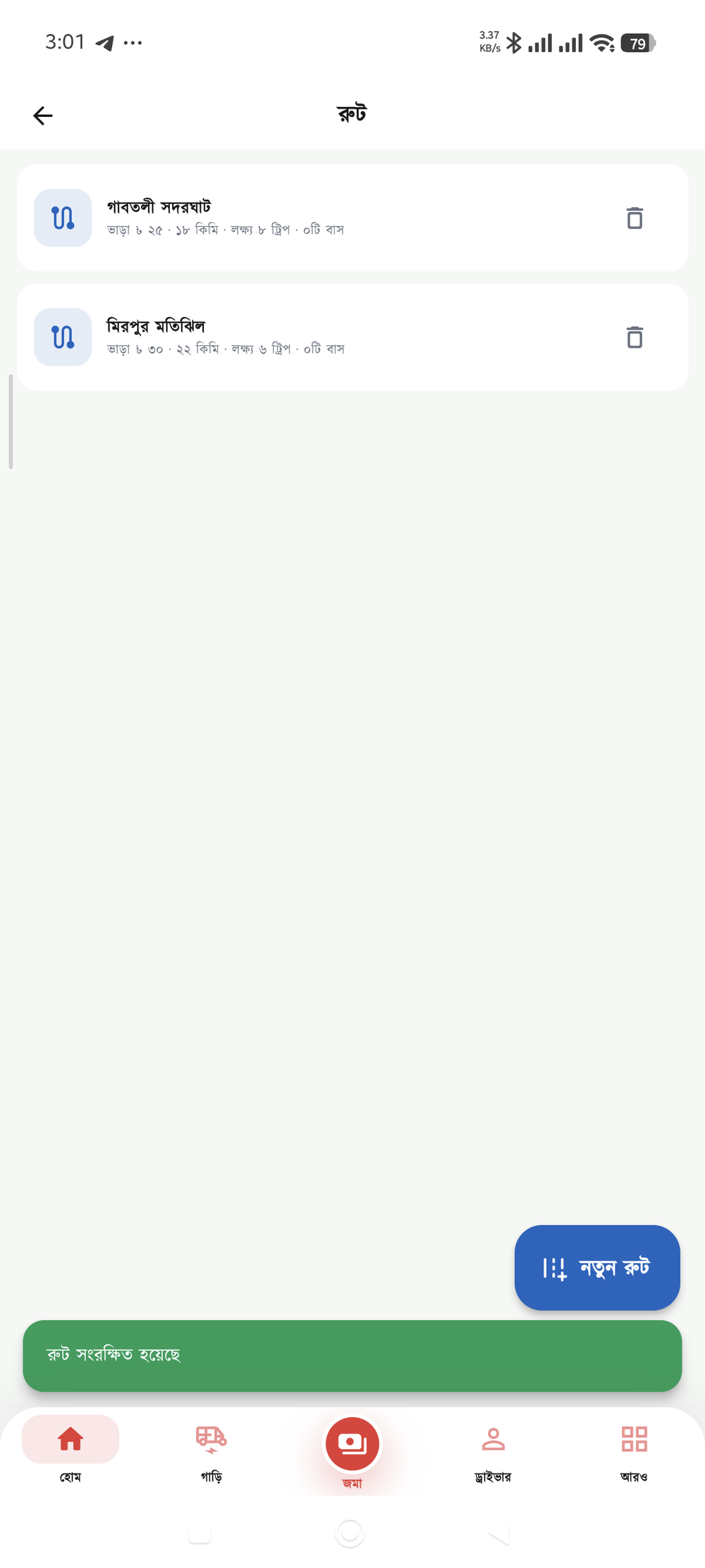
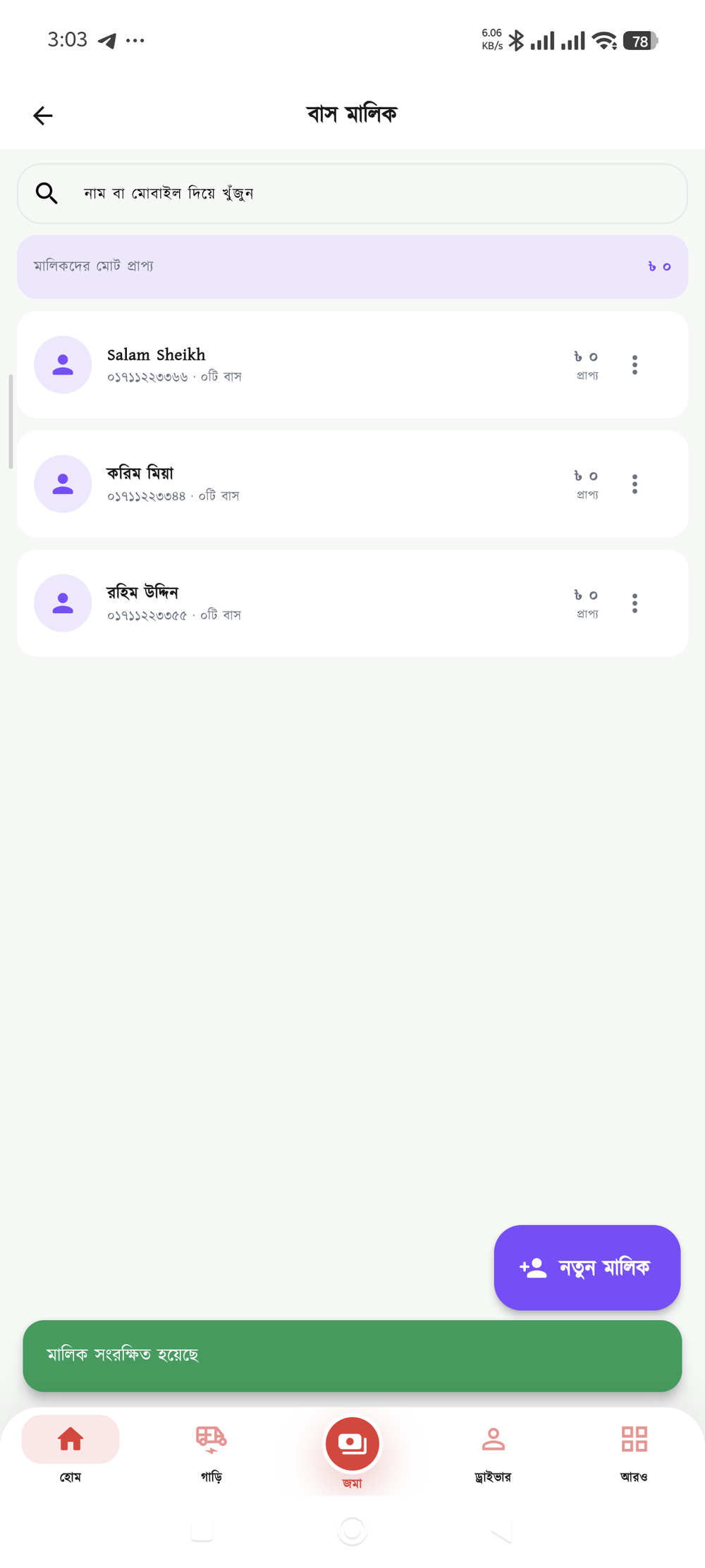
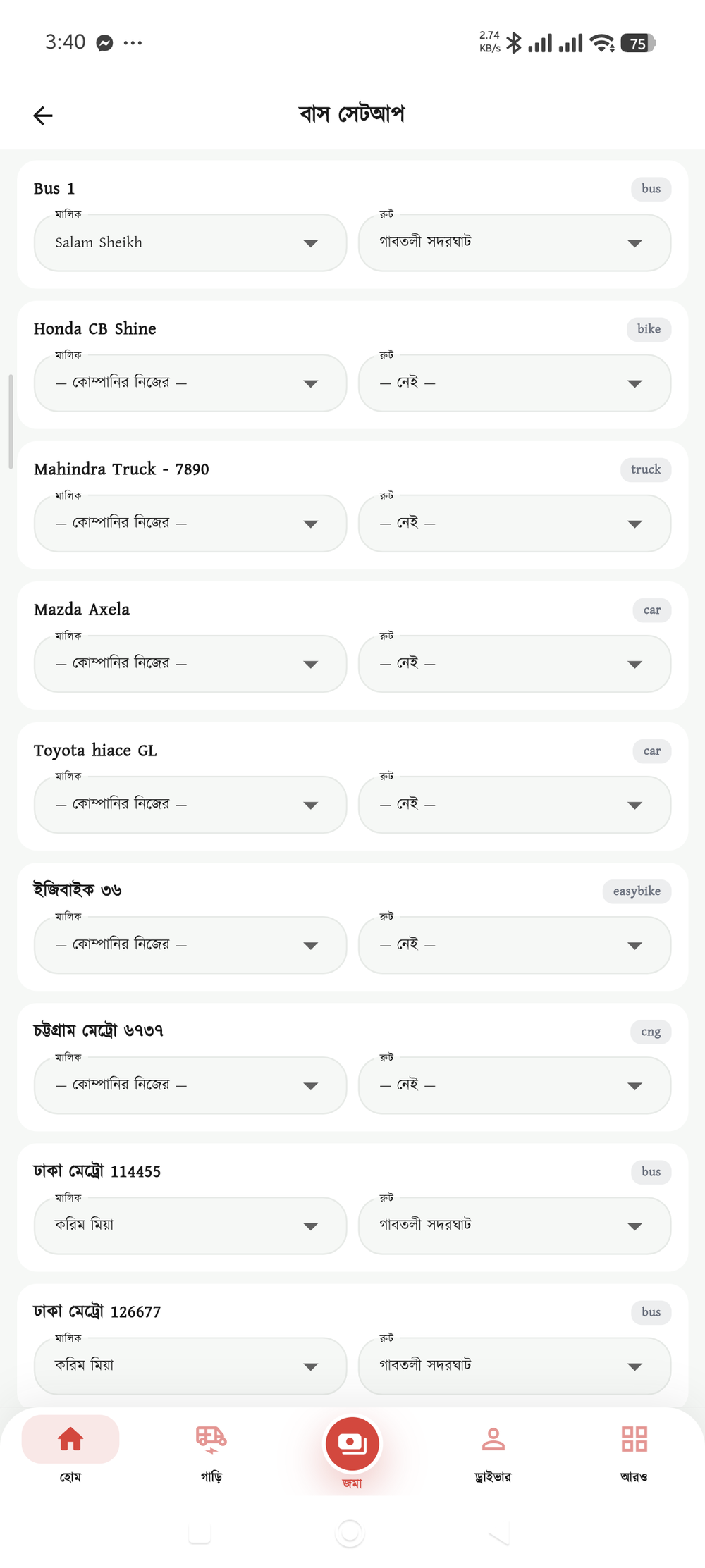
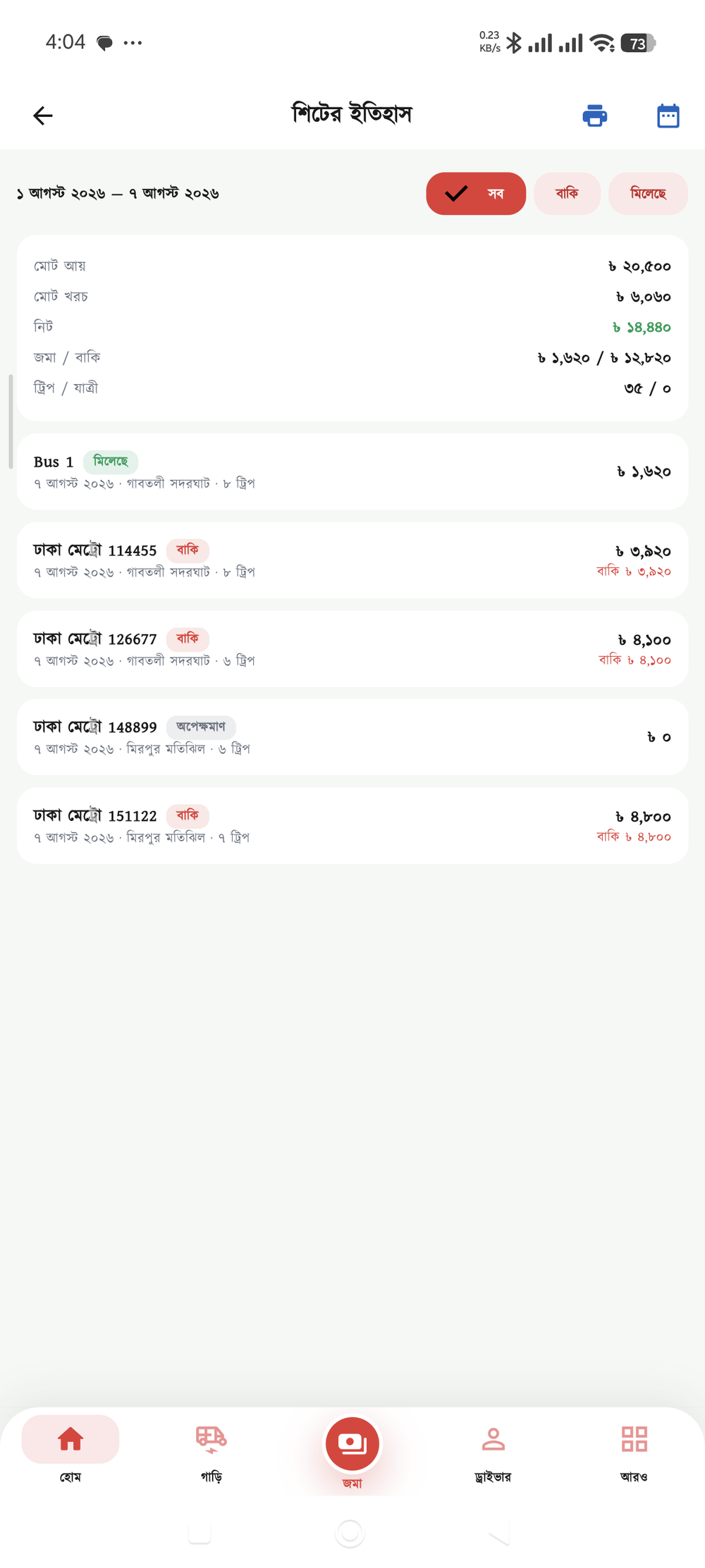
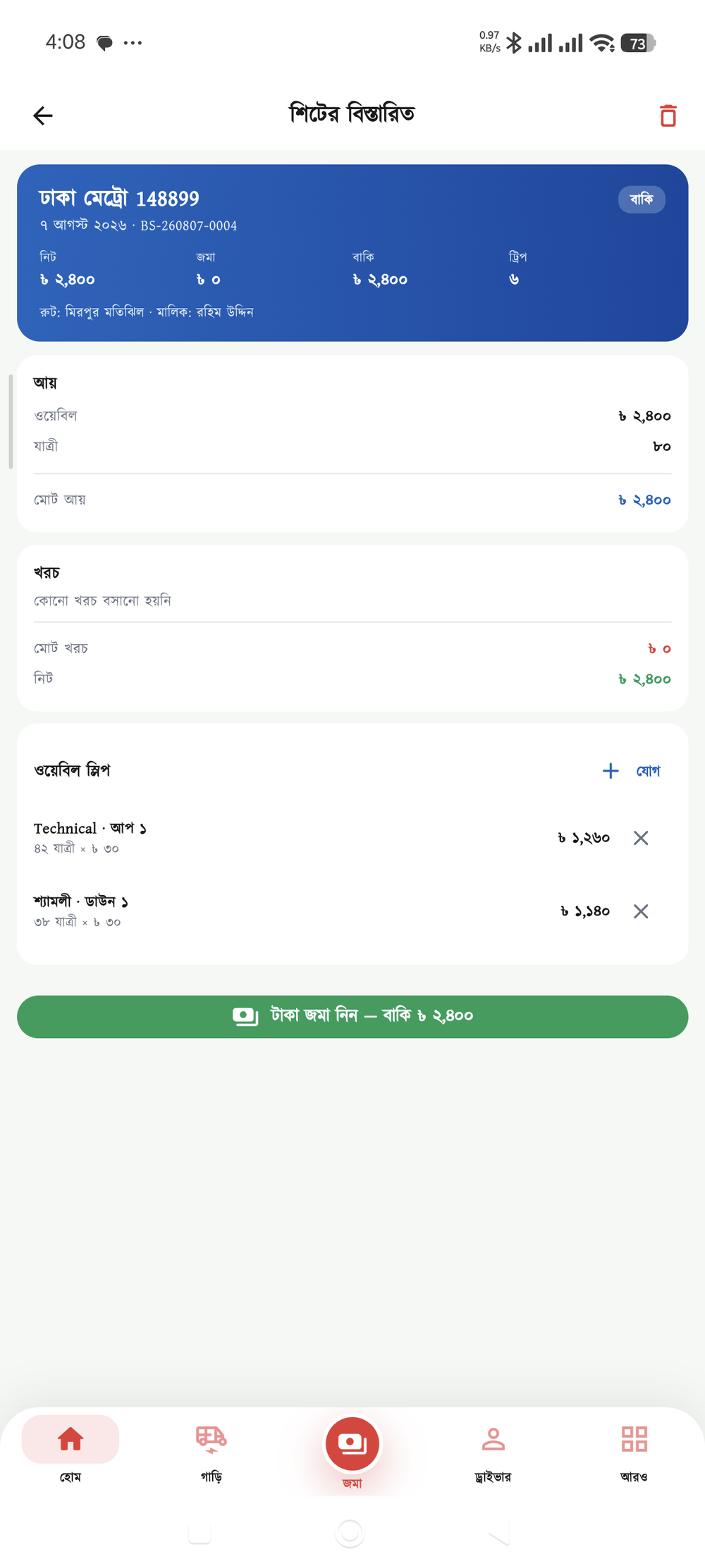
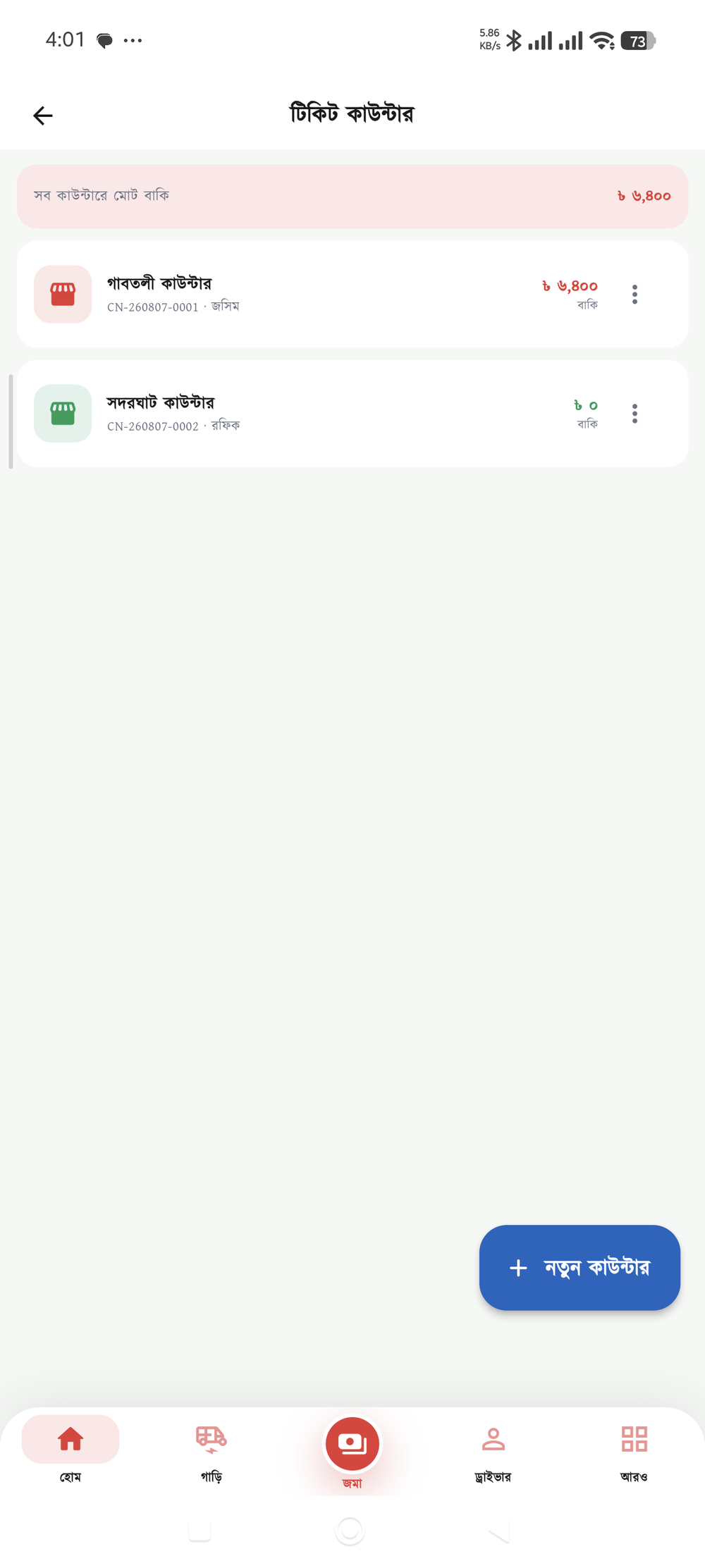
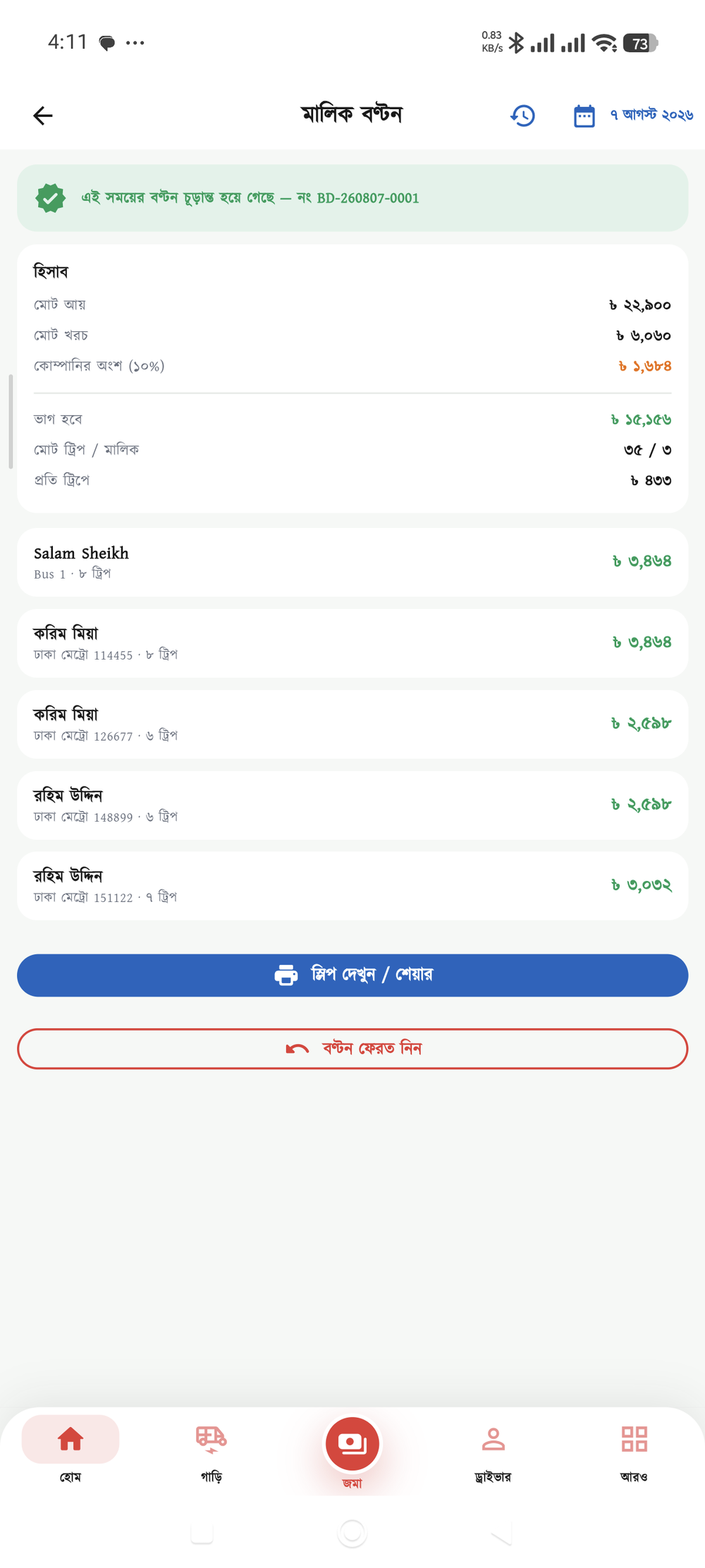
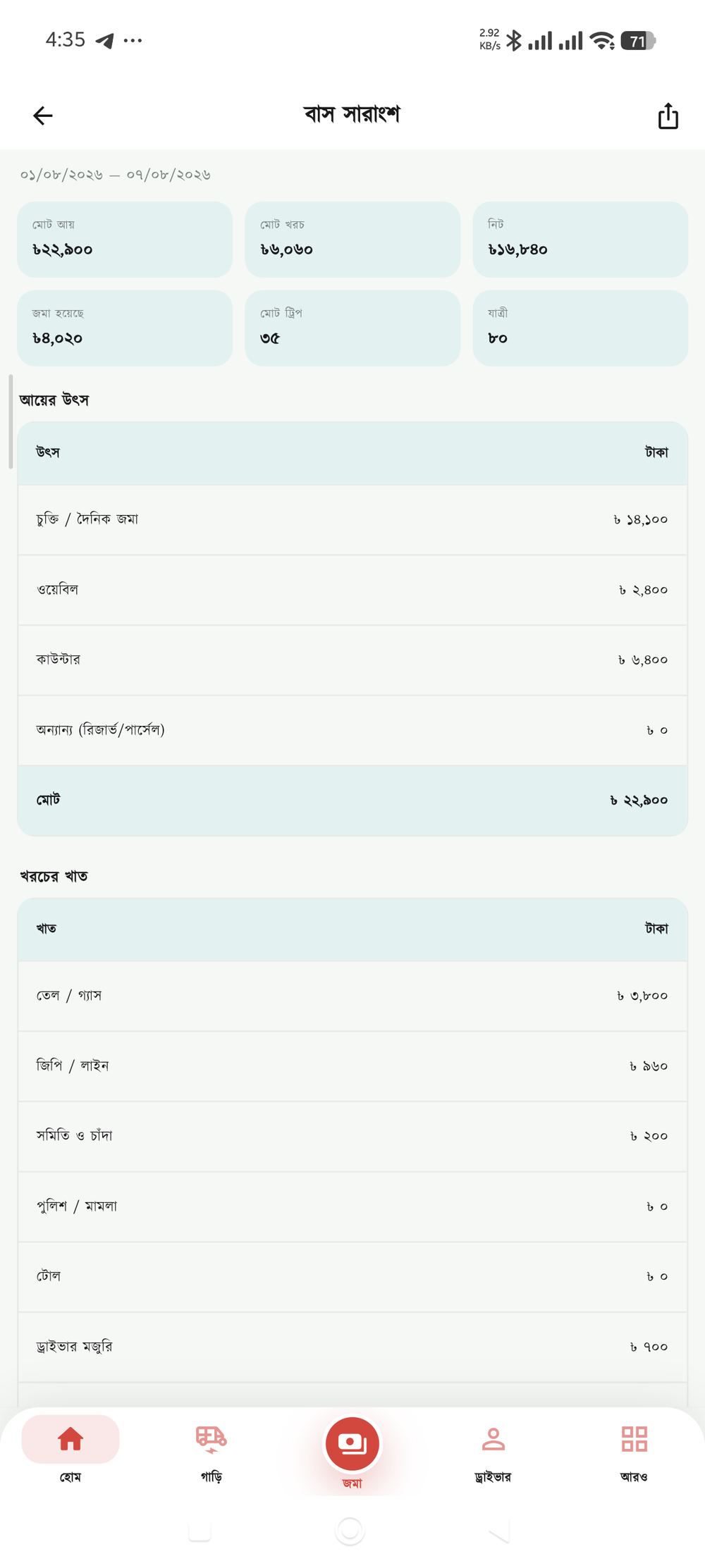
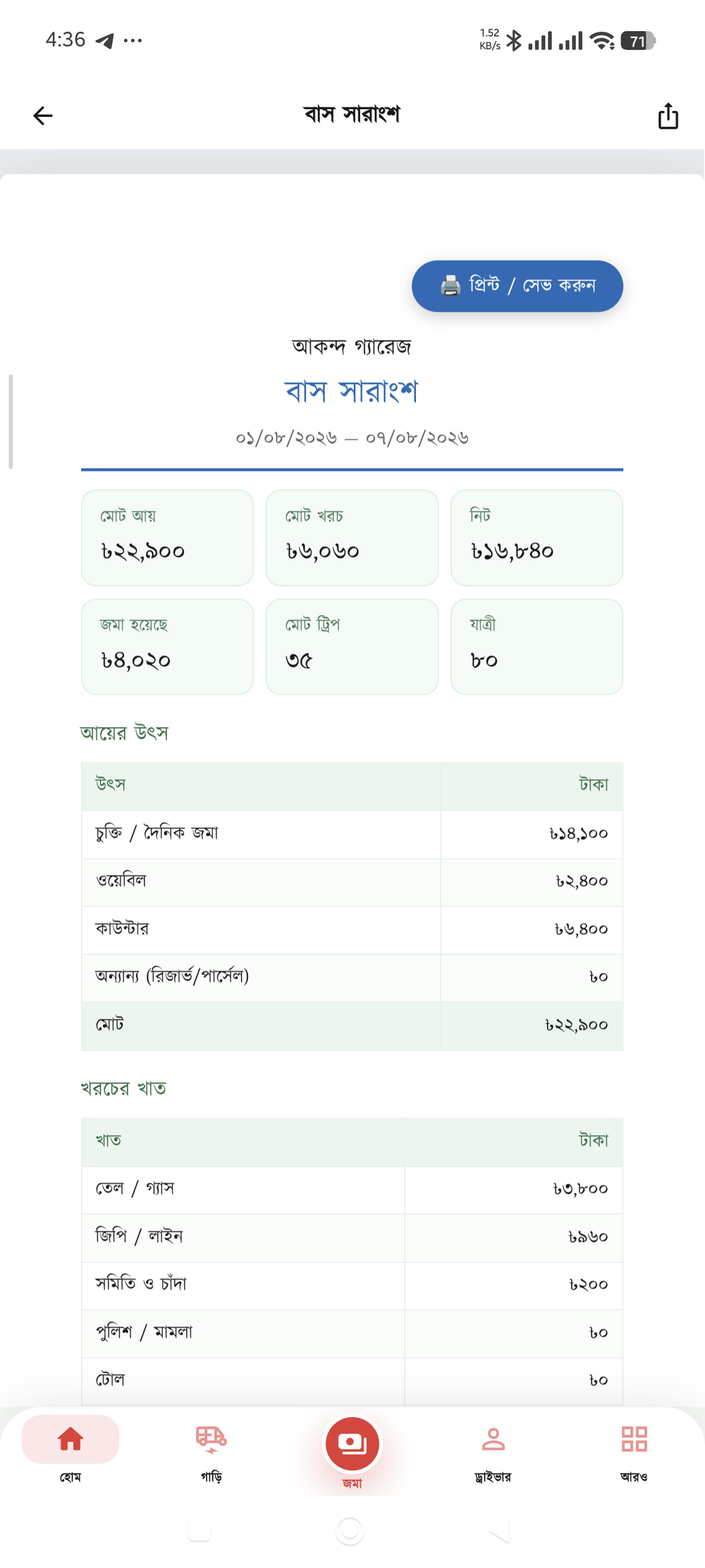
Yes. Each of the four income methods has its own switch, and you can have as many on at once as you need. One bus on contract and another on waybill, on the same day’s sheet — no problem.
Every bus of the day is on one page — fill in the trips and the amounts row by row and save once. Ten buses usually takes two or three minutes. Leave the row empty for a bus that did not run.
Yes. Each counter’s sales and collections accumulate separately, and the difference is its running balance. Take money in from the counter and the balance drops at once; a commission withheld can be recorded too.
Yes — this is the biggest part of the module. It splits four ways (by trips, by net, equally, or by fixed percentages), and you can take the company’s commission off the top first. Look at the draft before finalising and it shows who gets what.
The distribution slip can be printed or shared — trips, income, costs and the final amount due are all on it. The day’s trip sheet prints the same way for the office file.
Each owner has a running account — distribution credits it, they withdraw when they come in, and the balance is visible. There is also a switch to stop anyone withdrawing more than they are owed.
Yes. All bus income and costs post to the general ledger by themselves, so the monthly reports and balances include the buses — there is nothing extra to do.
Yes. What each member or owner has paid and what is still owed is shown separately, and receipts can be printed or sent by SMS.
Yes. Every item of fund income and spending is recorded by category, and the monthly report shows clearly where the money went — a one-page file you can take to a meeting.
Yes. Add as many buses and routes as you like; each bus keeps its own income and costs, and the by-route and by-bus reports bring them back together.
In the app, go to More → Settings → Modules and switch on "Bus operator". It is optional — people without buses never see it on their screen.
The accounts for one vehicle are free forever. Download the app, turn on "Bus operator" under Settings → Modules — the first day’s sheet is in place within five minutes.